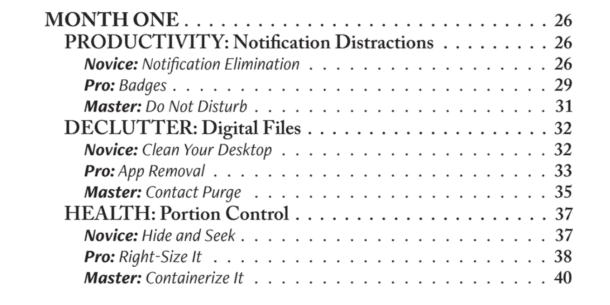

Do Not Disturb mode silences calls, alerts, and notifications on your phone until you turn it off, or until a schedule turns it off for you. The people and apps you choose can still get through. Nothing gets deleted. It's all waiting for you when you come back.
Landlines were great, right? I haven't had one in over a decade. If I did, the only people with the number would be my husband and me, so we could both turn our phones off completely when one of us was traveling or out late, and still reach each other in an emergency. Some days Do Not Disturb doesn't feel like enough.
Back in the day, one of the best things about a mobile phone was that it was free of sales calls. Times have changed. Without Verizon's spam filter, my phone would ring all day with robocalls offering me lines of credit. And they always come at the worst time: on a walk, in a focus block, on a coaching call, at dinner.
What Do Not Disturb mode does
- Silences calls, alerts, and notifications. On an iPhone, a crescent moon shows in the status bar and on the Lock Screen while it's on.
- Lets your chosen people and apps through. Pick the two or three people who can always reach you.
- Runs on a schedule. Set it once for nights or focus blocks and stop relying on memory.
Silent mode only turns off the sound. The screen still lights up, and your hand still reaches for it. Airplane mode cuts everything, including the people who need you. Do Not Disturb sits in the middle: quiet by default, open to the few you pick.

Why a silent buzz still costs you
Researchers at Florida State found that simply receiving a phone notification hurt people's performance on an attention task, even when they didn't pick up the phone (Stothart, Mitchum and Yehnert, 2015). The buzz does the damage on its own.
Then there's the grab. Even with no notification, we pull the phone out of a pocket by default, tap Instagram, and look up 20 minutes later wondering where the time went. I'm sure you can relate.
How to set it up for work
- Your phone. On iPhone, it lives under Focus in Settings. On Android, look for Modes & Do Not Disturb. Set a schedule and add the few people you allow. Apple and Google both have short guides, linked below.
- Teams. Set your status to Do Not Disturb when you're in a focus block or presenting. Teams turns it on for you while you share your screen.
- Slack. Pause notifications for a set time, or set your working hours so notifications pause outside them. Anyone with a real emergency can still get through with a direct message.
- Email. There's no Do Not Disturb for an inbox, so close it. You don't have to answer every email the moment it lands. Reply within a reasonable window during the workday, and keep email closed during focus blocks.
When to turn it on
- Focus blocks. Phone on Do Not Disturb, email and chat closed.
- Meetings and presentations. The buzzing and lighting up distract you and everyone around you.
- Driving. Your phone can wait. The car in front of you can't.
- The end of the workday. When you close email for real, turn it on so the evening starts as the evening.
- Overnight. Schedule it, for example, 9 p.m. to 7 a.m., so your sleep isn't interrupted.
One Thing You Can Do Now
Open your phone's settings and schedule Do Not Disturb for tonight, from the time you close email until 7 a.m. Add the two or three people who can always reach you. That's it.
Frequently Asked Questions
What is Do Not Disturb mode? Do Not Disturb mode is a phone setting that silences calls, alerts, and notifications until you turn it off or a schedule ends it. You choose which people and apps can still get through. Nothing is deleted; it's waiting when you come back.
What happens when you put your phone on Do Not Disturb? Your phone stops ringing, buzzing, and lighting up for everyone except the people and apps you've allowed. On an iPhone, a crescent moon appears in the status bar and on the Lock Screen.
What's the difference between Do Not Disturb and silent mode? Silent mode only turns off the sound, so the screen still lights up and pulls your attention. Do Not Disturb quiets the alerts too, and it can run on a schedule.
Can someone still reach me on Do Not Disturb? Yes, if you add them to your allowed people. In Slack, someone with an urgent message can still get through with a direct message.
Resources
- How to turn Do Not Disturb on or off on your iPhone (Apple)
- Limit interruptions with Modes & Do Not Disturb on Android (Google)
- Change your status in Microsoft Teams (Microsoft)
- Pause your Slack notifications (Slack)
- The Attentional Cost of Receiving a Cell Phone Notification (Journal of Experimental Psychology, 2015)
- Screen Apnea: Why You Hold Your Breath at Your Screen
- General Productivity podcast episodes
- Email podcast episodes